You can customize your ePlatform site with your own banner and themes from the Administration’s page.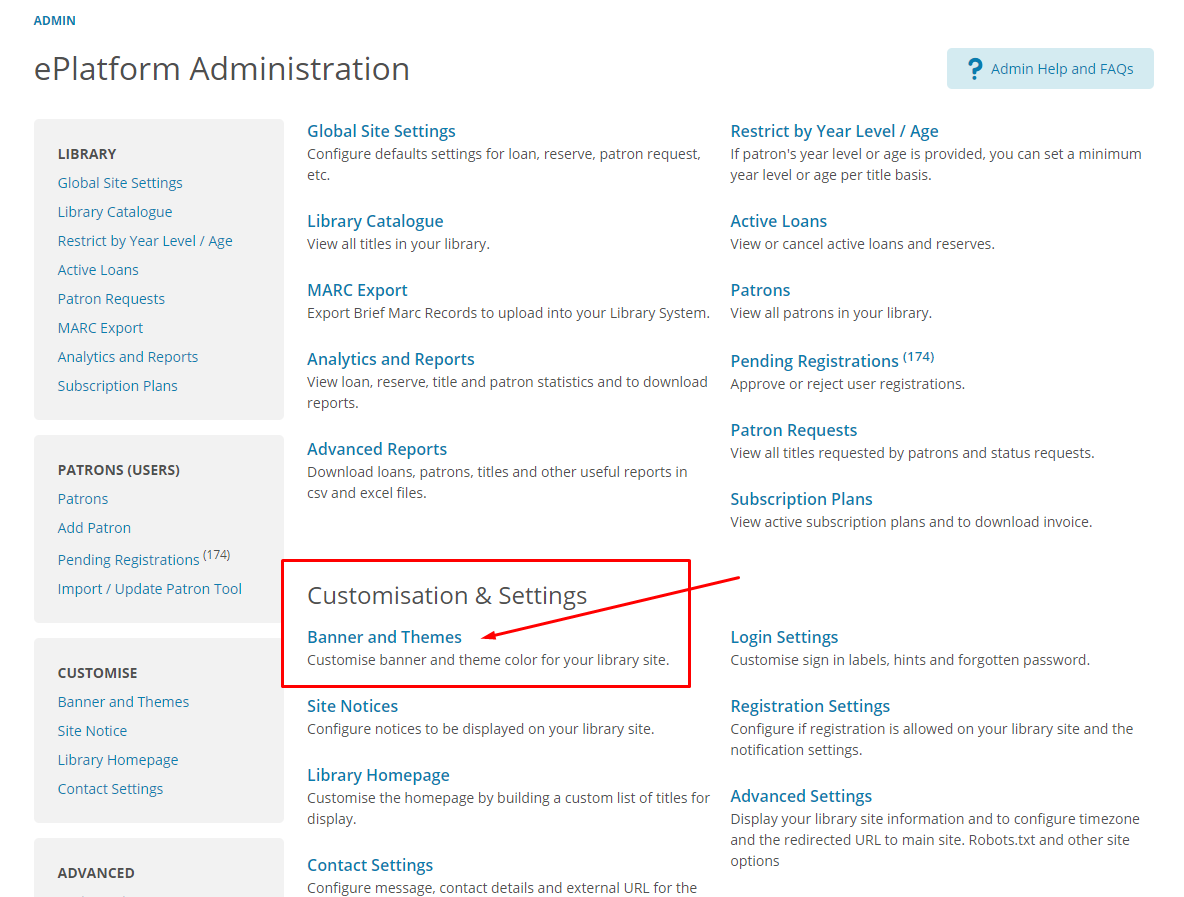
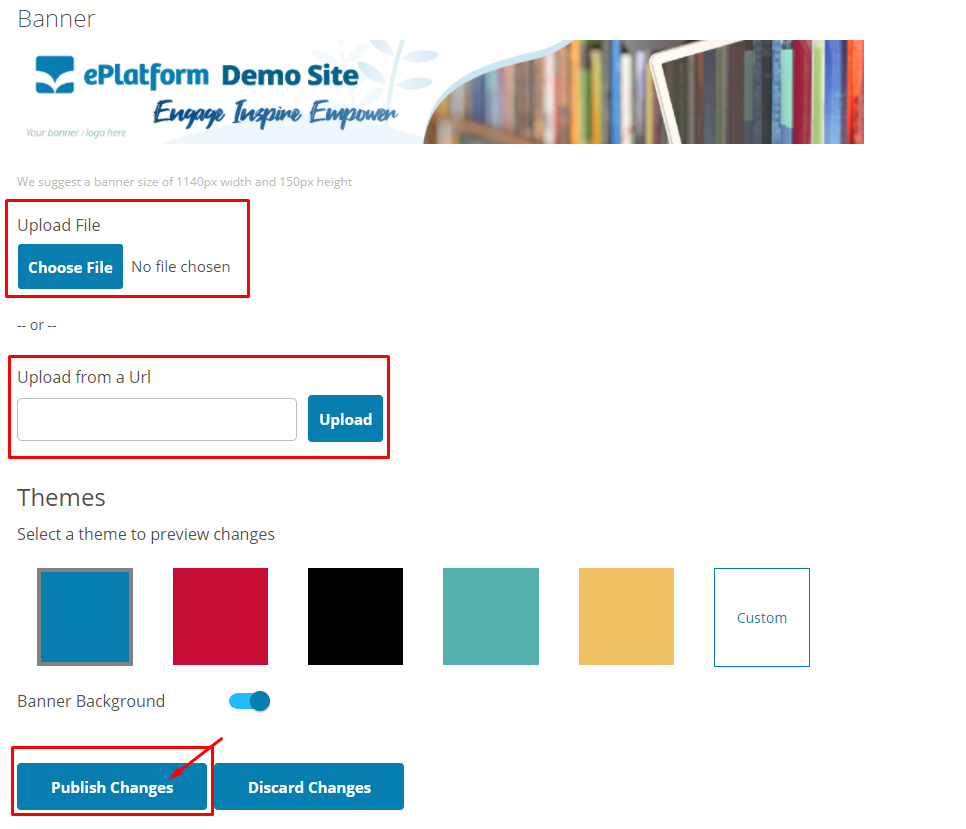
There are 2 methods for you to customize your banner. The methods are:
1. By uploading the PNG format file from your computer. We suggest a banner size of 1140px width and 150px height.
2. Or, by uploading the banner from an external URL. Simply copy and paste the location (URL) of the banner/logo in the text box column
Once you have uploaded your banner, select a theme by clicking on the color boxes and the Banner Background toggle button to instantly preview the look and feel of your site.
You can also deselect the “Banner Background” toggle button if you wish not to display the colored background around your banner.
Once done, hit on the 'Publish Changes' button.
Please note any changes you make will not affect the current settings until you click on the 'Publish Changes' button.